Row reordering with Reorderable
The library provides a dedicated row reordering flow powered by Reorderable.
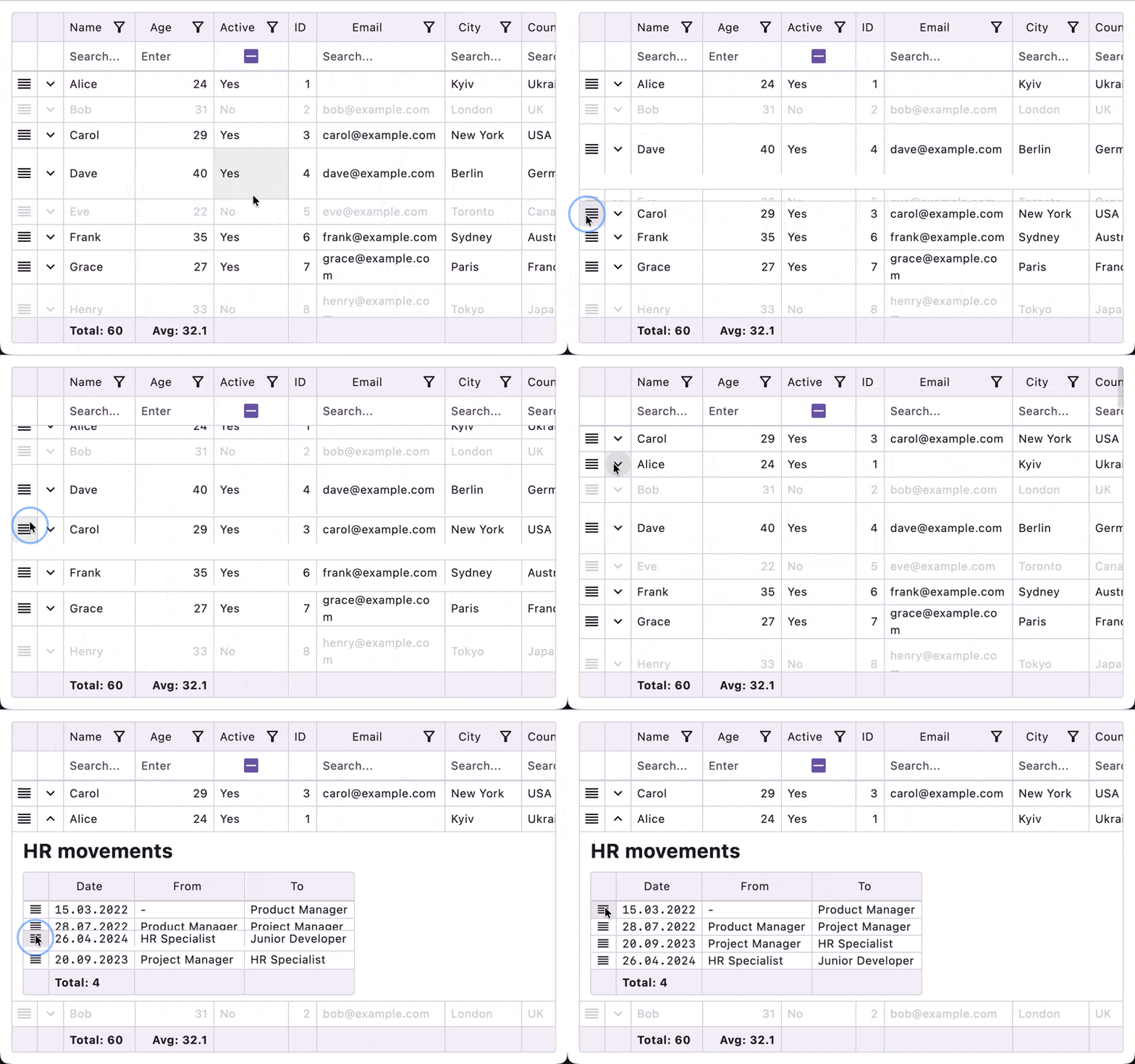
- Enable it: set
TableSettings(rowReorderEnabled = true). - Handle moves: pass
onRowMove = { fromIndex, toIndex -> ... }toTableorEditableTable. - How context is passed: the
cell { ... }DSL is backed bycontext(TableCellScope), so inside a cell you can callModifier.draggableHandle()orModifier.longPressDraggableHandle()directly. - Interaction rules: while row reorder mode is active, sorting and grouping interactions are disabled:
initialSortis ignored andstate.setSort()is a warning no-op. Under an active sort the rendered order is a function of row values, so a reorder would change nothing on screen — the two features cannot both apply. - Embedded support: the same API works for embedded table bodies too.
- Dragging several rows at once: see Row blocks. Once
rowBlocksis declared it supersedesonRowMove— every gesture, standalone rows included, reports throughRowBlocks.onCommitandonRowMoveis never invoked.
Example:
Note
Icons.Default.Reorder comes from your own icon dependency — the table no longer ships one.
Substitute any ImageVector you like.
data class Person(val id: Int, val name: String)

enum class PersonColumn { Handle, Name }

@Composable
fun ReorderablePeopleTable() {
    val people = remember {
        mutableStateListOf(
            Person(1, "Alice"),
            Person(2, "Bob"),
            Person(3, "Charlie"),
        )
    }

    val columns =
        remember {
            tableColumns<Person, PersonColumn, Unit> {
                column(PersonColumn.Handle, valueOf = { it.id }) {
                    width(48.dp, 48.dp)
                    resizable(false)
                    cell { _, _ ->
                        Box(
                            contentAlignment = Alignment.Center,
                            modifier = Modifier.fillMaxSize(),
                        ) {
                            Icon(
                                imageVector = Icons.Default.Reorder,
                                contentDescription = "Drag row",
                                modifier = Modifier.draggableHandle(),
                            )
                        }
                    }
                }

                column(PersonColumn.Name, valueOf = { it.name }) {
                    header("Name")
                    cell { person, _ -> Text(person.name) }
                }
            }
        }

    // Required in the consuming module:
    // compilerOptions { freeCompilerArgs.add("-Xcontext-parameters") }
    //
    // `cell { ... }` receives `context(TableCellScope)`, which is why
    // `Modifier.draggableHandle()` is available directly inside the cell lambda.
    val state =
        rememberTableState(
            columns = PersonColumn.entries.toImmutableList(),
            settings = TableSettings(rowReorderEnabled = true),
        )

    Table(
        itemsCount = people.size,
        itemAt = { index -> people.getOrNull(index) },
        state = state,
        columns = columns,
        onRowMove = { fromIndex, toIndex ->
            if (fromIndex !in people.indices || people.isEmpty()) return@Table

            val targetIndex = toIndex.coerceIn(0, people.lastIndex)
            if (fromIndex == targetIndex) return@Table

            val movedItem = people.removeAt(fromIndex)
            people.add(targetIndex, movedItem)
        },
    )
}
Related
- Row blocks — adjacent rows that render and drag as one unit, with a header band, within-block reorder, and key-based commit events.